Published
Category
Experience
How to earn Bitcoin Mining rewards from Ocean with Alby Hub
Earn Bitcoin mining rewards directly in Alby Hub, your own self-custodial wallet. Learn how to set up Ocean’s BOLT12 bitcoin lightning payouts and receive mining rewards seamlessly into your on-chain or Lightning wallet.
Currently, BOLT12 offers created in Alby Hub are not accepted by Ocean. More details are available here, and you can track progress on a potential fix here. Addressing this issue is a high priority for us.
Receiving mining rewards directly to your own wallet should be simple and with Alby Hub, it finally is. You can receive payouts directly in your Alby Hub’s on-chain wallet or if you mine with pools like Ocean, NiceHash or Braiins directly in your lightning spending balance.
If you’re mining with Ocean and want your payouts delivered straight to a non-custodial wallet, Alby Hub is one of the easiest ways to do it.
Unlike most mining pools, Ocean already supports payouts using the new BOLT12 standard, which works seamlessly with Alby Hub.
In this post, we’ll guide you step-by-step through creating a BOLT12 offer and configuring your Ocean account to send your bitcoin rewards directly to it: simple, secure, and fully under your control.
Generating the BOLT12 Offer in Alby Hub
Alby Hub makes it extremely easy to generate a BOLT12 offer:
Head to your OCEAN stats. Click on “Configuration” and copy the generated description (watch the video here)
Open your Alby Hub, navigate to the Wallet page
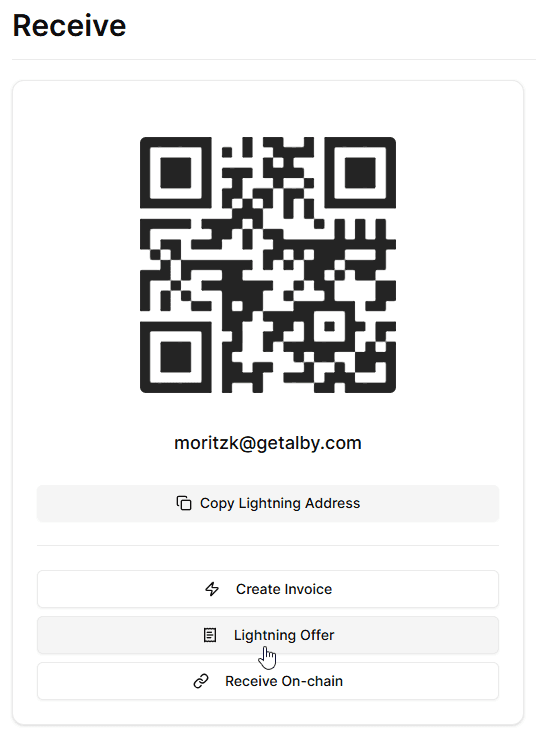
Click “Receive” and select “Lightning Offer”
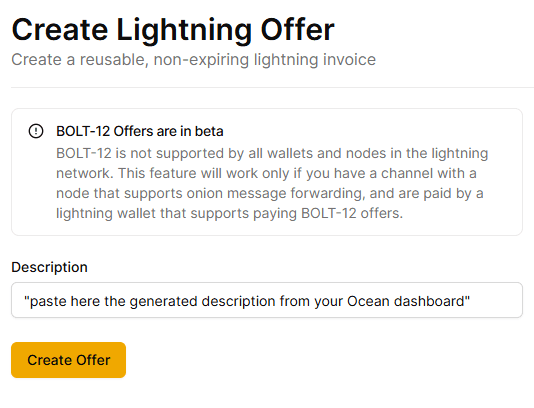
Paste in the copied description and click “Create Offer”
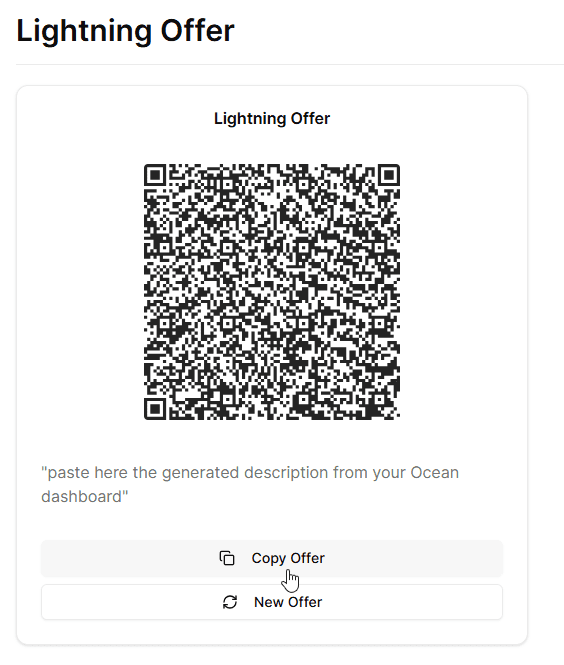
5. Finally, copy the offer.
Note: Ensure you have at least one payment channel with sufficient receiving capacity with Megalith LSP or LNServer. Both support onion message forwarding. You can check your channel partners and receiving capacity on the Node page of your Alby Hub.
Generating the Configuration Message
To generate the configuration message, go back to your OCEAN configuration.
Paste your BOLT12 offer into the field, update the block height to the latest value, click GENERATE, …
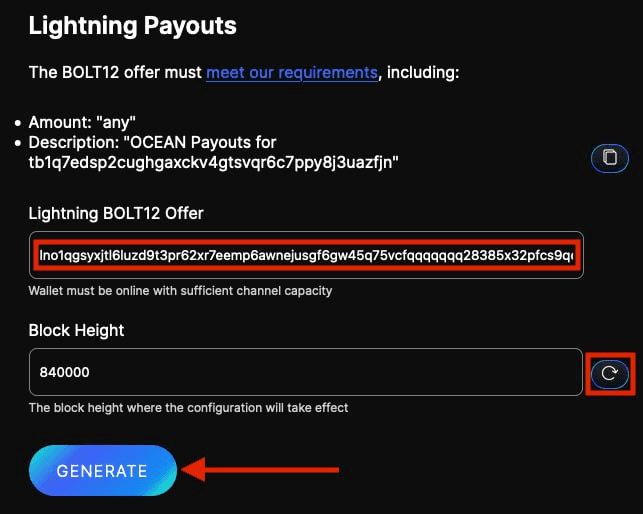
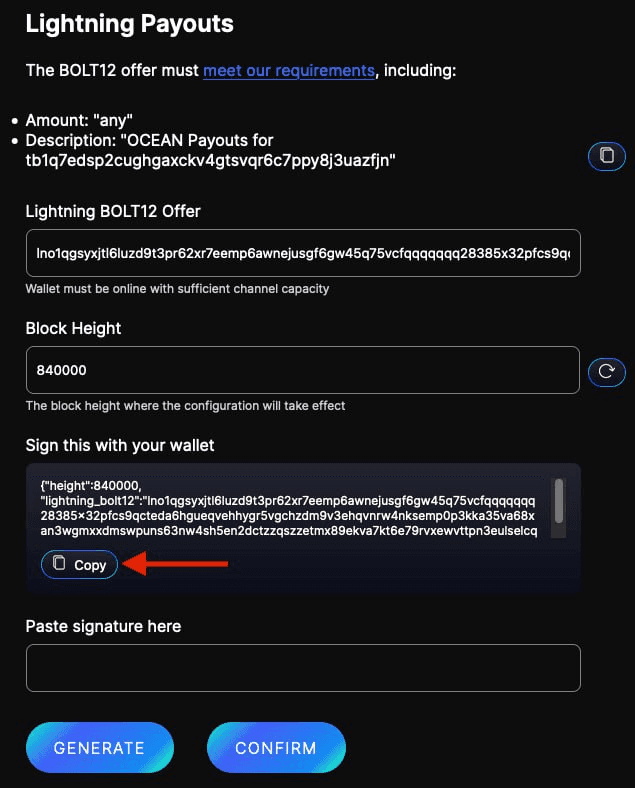
… and then copy the unsigned message that appears.
Signing the Configuration Message
Next, you'll sign the configuration message using one of these wallets such as Bitcoin Core, Coldcard, Electrum, Seedsigner, Sparrow, Specter or Trezor.
Ocean collected screenshots with detailed instructions for each of these wallets.
Submitting the Signed Message
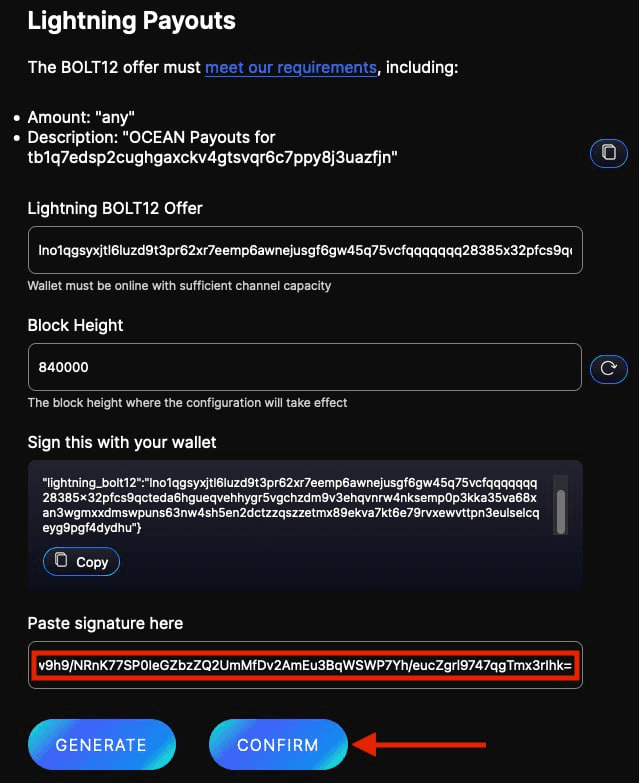
After signing, copy the signature, paste it into the configuration form, and click CONFIRM.
Happy Mining!